Getting started with MarquesOS
Six steps from creating your programme to reporting on it - the same order a real delivery lead follows, from template to resourcing to financials and governance.
Add your programme
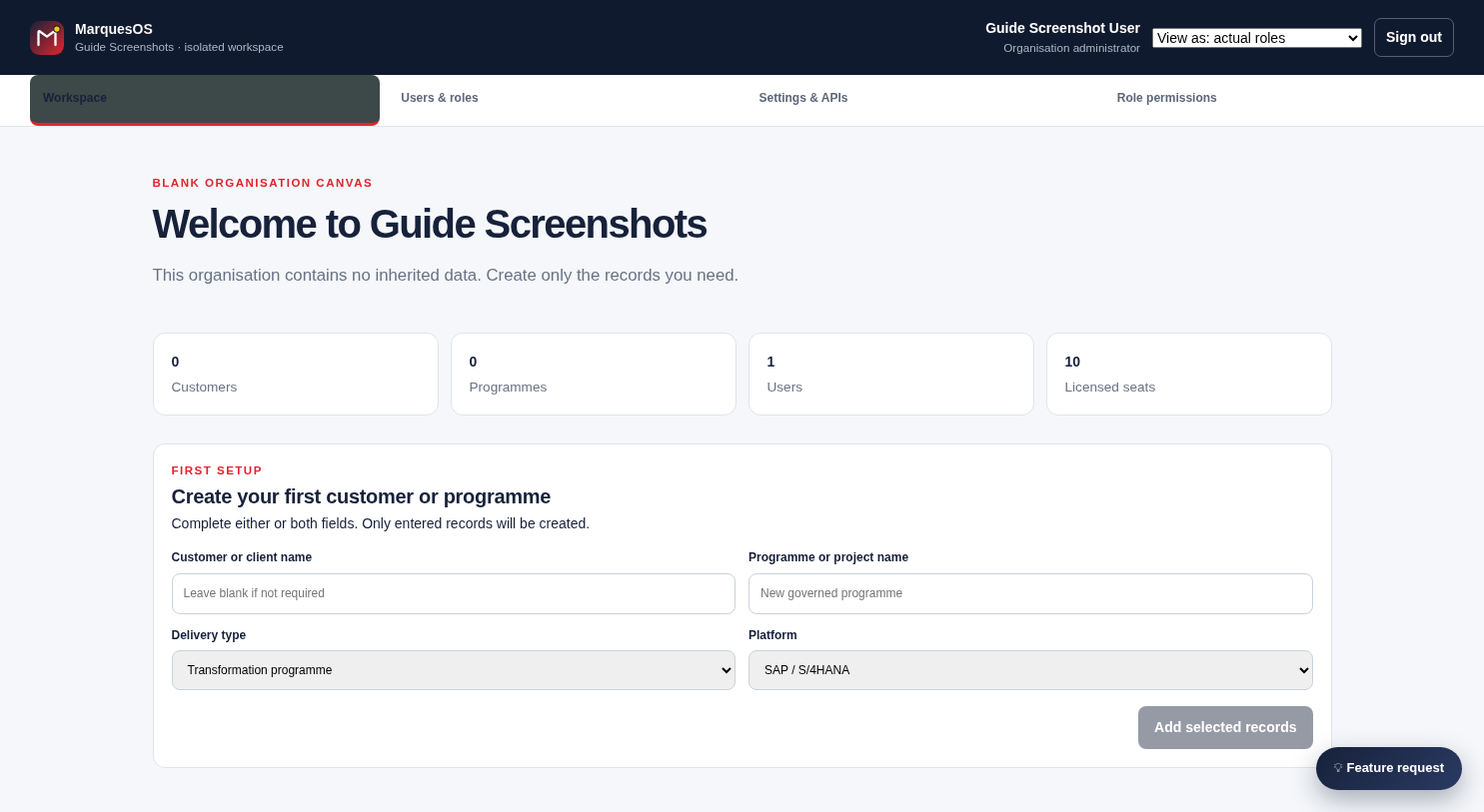
From Quick setup, add the customer or programme you're delivering - name it, set the industry and delivery methodology, and assign who owns it. This takes a couple of minutes and gives every later step somewhere to attach to.
- Name the customer and the programme separately, or just one - only what you enter gets created
- Set delivery type (transformation, BAU, advisory) and platform (SAP S/4HANA, Oracle, or your own)
- Land straight on the programme's own workspace, ready for Quick setup
Choose and apply a delivery template
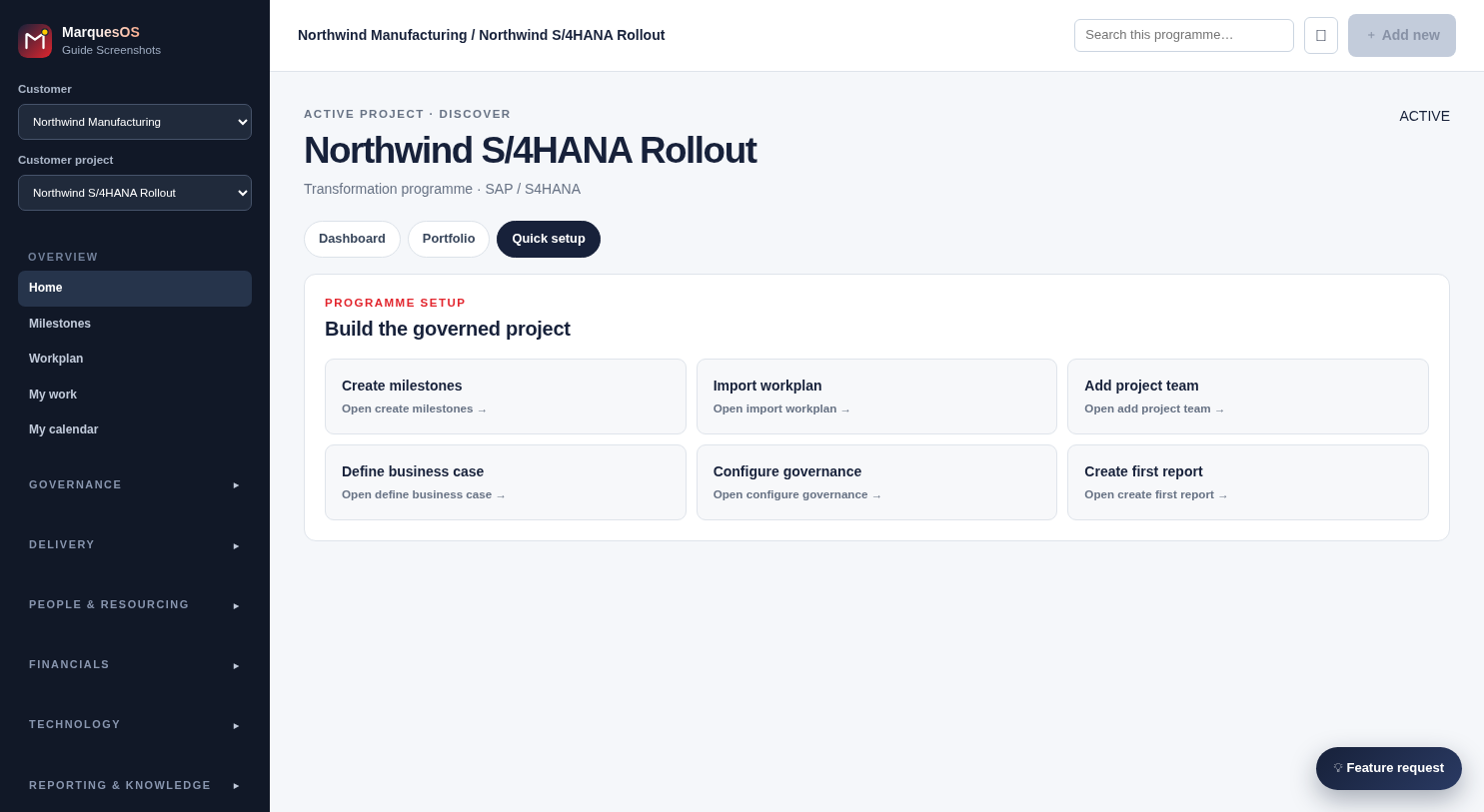
Pick a template that matches how you actually run delivery - SAP Activate, or your own house methodology. Apply it to the programme and MarquesOS generates the governed plan for you: milestones, workstreams, activities and tasks, with predecessor chains already wired up, plus a starter RAAIDD register where relevant. You're not building a plan from a blank page.
- Create milestones, import an existing workplan, or apply a full template in one action from the same setup screen
- Predecessor chains and phase gates come pre-wired, not left for you to build by hand
- Add project team, define the business case and configure governance from the same place
Resource the project
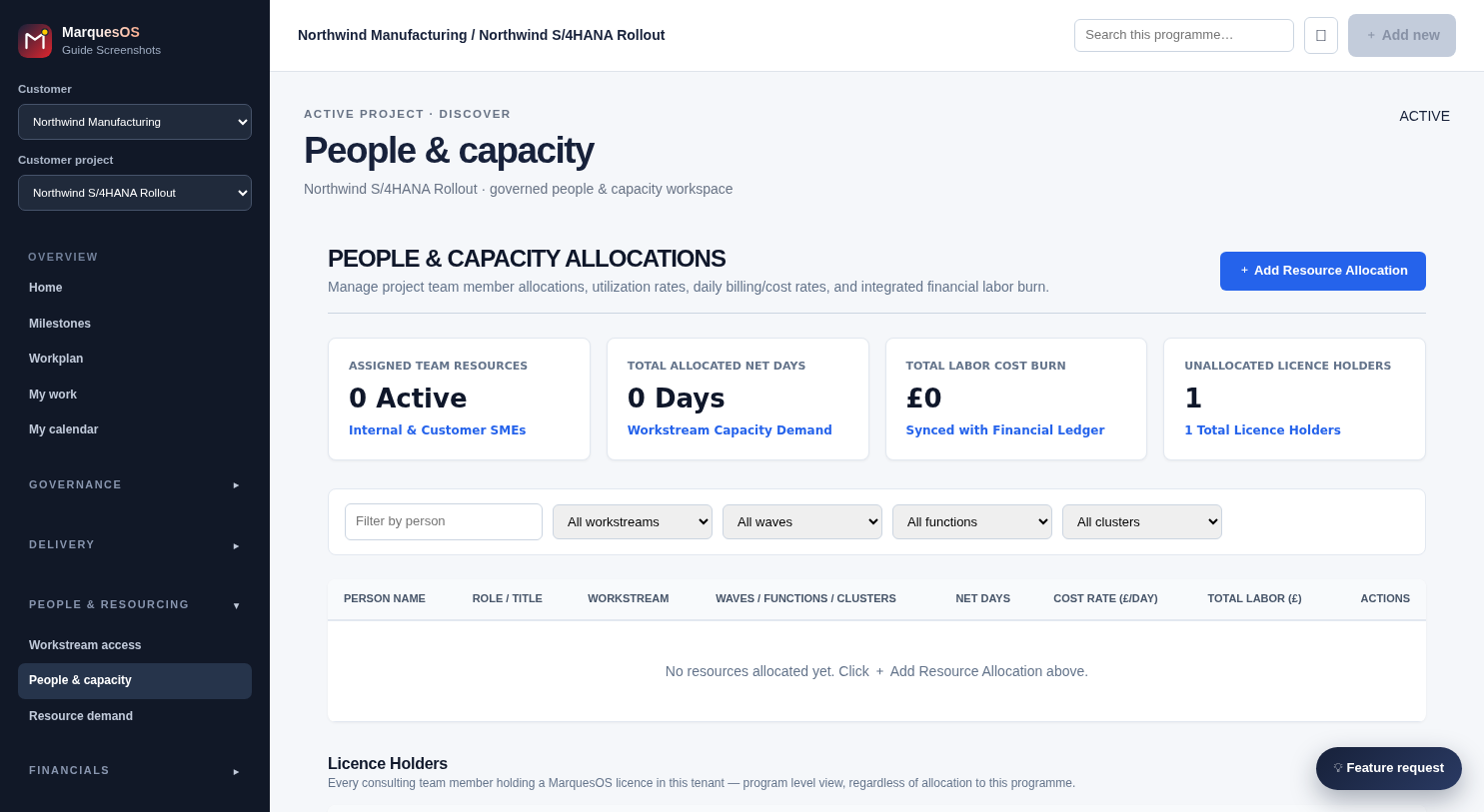
In People & Capacity, allocate the people you already have against the workstreams and tasks they'll deliver - net days, not just names. For roles you haven't got covered yet, raise a request in Resource demand (grade, FTE, the window you need them for) and route it through approval, so a resourcing gap is visible before it becomes a delivery risk.
- Every allocation tracks net days and a daily cost/billing rate, and rolls straight into the financial labor burn
- Unallocated licence holders surface automatically, so a paid seat never sits idle unnoticed
- Filter allocations by workstream, wave, function or cluster to see coverage at a glance
Set the budget and track financials
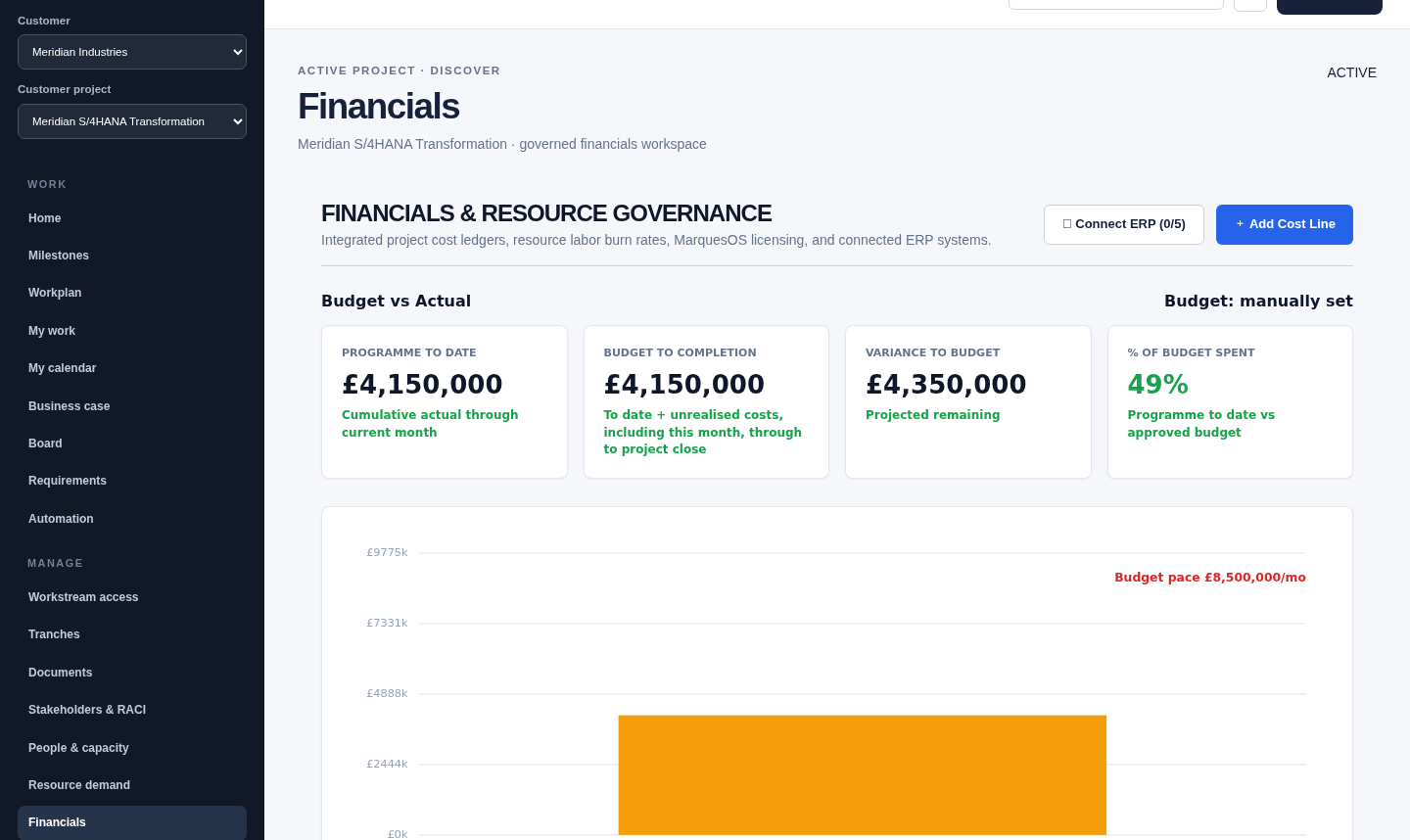
Set the programme budget - pulled straight from an approved business case, or set it manually - and MarquesOS tracks spend pace and variance against it in real time as cost lines land, not once a month from a spreadsheet. Add cost items directly, or import them from your ERP, and route any budget change through a proper change request rather than a silent edit.
- Budget vs Actual sits front and centre, with spend pace and variance recalculating as cost items land
- Add cost items directly, or import them from your ERP
- Any change to the budget number itself goes through a tracked budget change request, not a silent edit
Govern delivery day to day
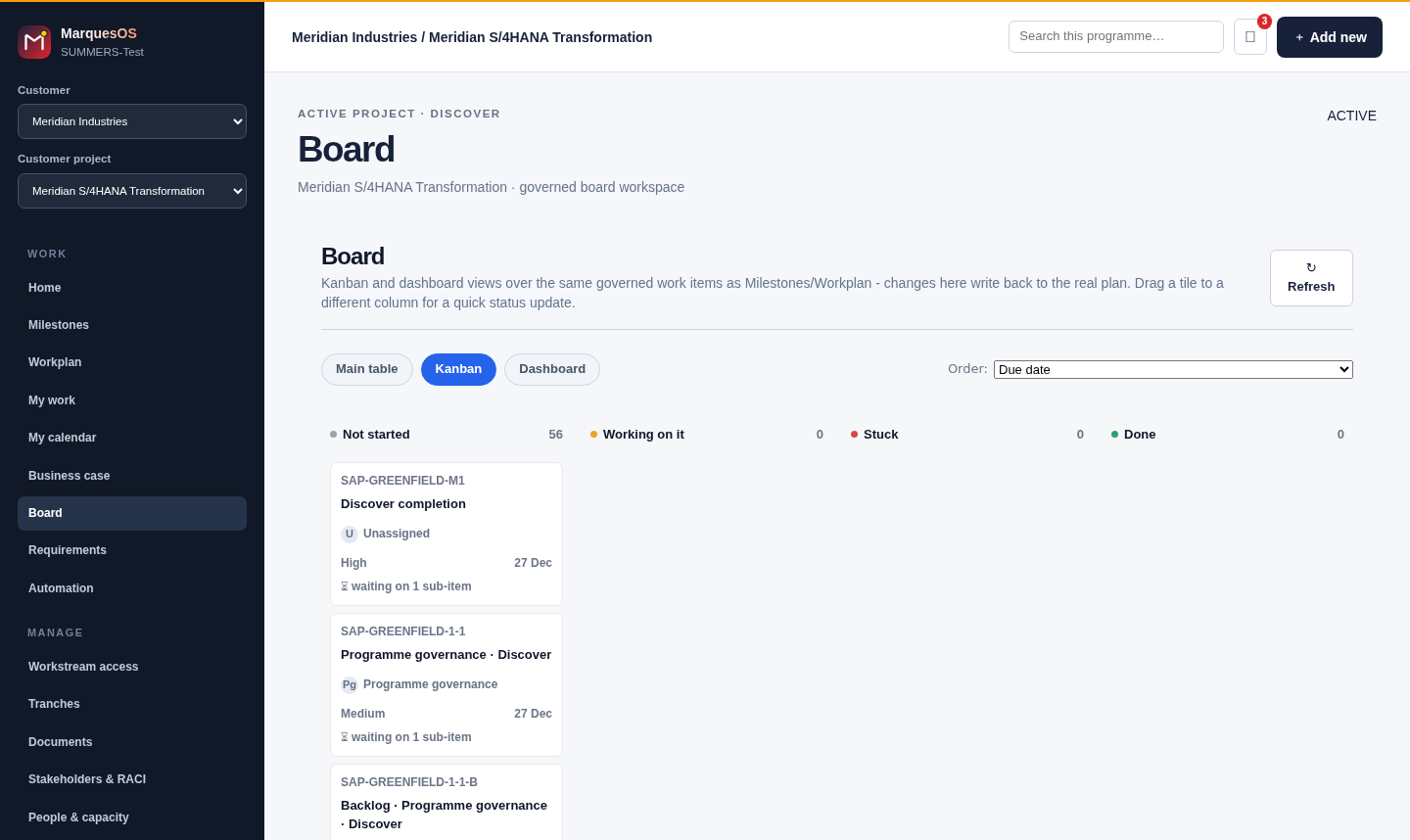
Run the programme from the Board and the Gantt in Milestones and Workplan - drag a bar to reschedule, drag an edge to resize, drop a tile into Stuck and MarquesOS raises and links a real risk automatically. Keep RAAIDD controls, the RACI matrix and stakeholders current as you go, and Quality Register / Testing / Cutover / Hypercare pick up the technical delivery lifecycle as the programme moves through it.
- Drag a milestone or task bar to reschedule it, drag either edge to resize - the plan updates in place
- Drop a board tile into Stuck and MarquesOS raises and links a real risk automatically, no manual entry
- RAAIDD, RACI, Quality Register, Testing, Cutover and Hypercare all stay attached to the same governed plan
Report with confidence
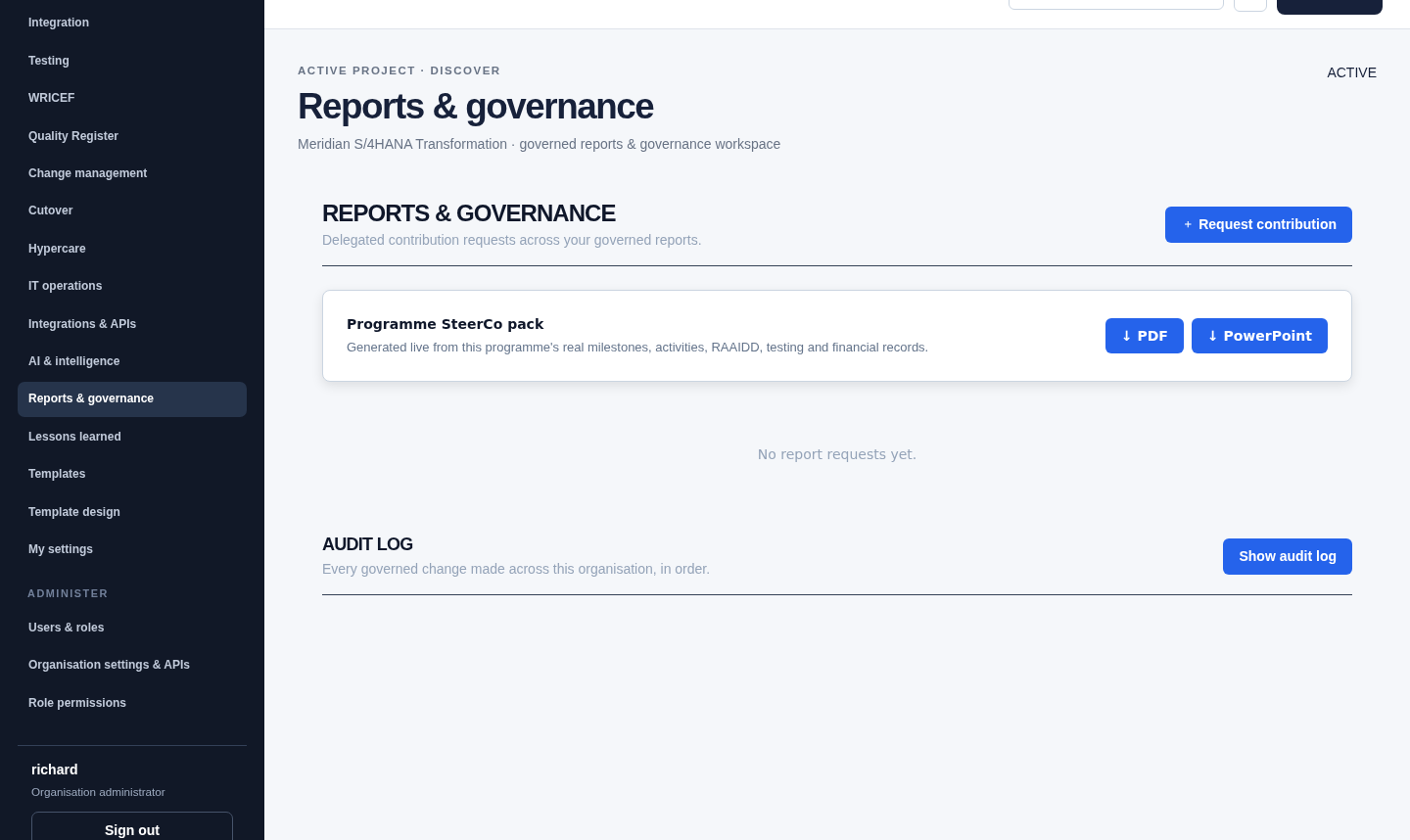
Reports & governance generates a SteerCo pack on demand from the programme's own live data - schedule, RAAIDD, financials and testing - not a deck someone assembles by hand the night before. Every governance-relevant change is logged, so the pack you present is backed by a real audit trail.
- Generated on demand from the programme's live schedule, RAAIDD, financials and testing data
- Export to PDF or PowerPoint for a SteerCo pack with no manual slide-building
- Every governance-relevant change is logged, so the pack you present is backed by a real audit trail
Try it on a real programme
Fourteen days, full access, your own data - see how far one template and an afternoon of resourcing actually gets you.